Top on Product Hunt

Notes that think and run.

Znote is a clean, local Markdown editor with two things built in: AI that answers from your own files, and code blocks that actually run. Everything else stays out of your way.

Download free → See how it works
✓ Free ✓ Local .md files ✓ No account
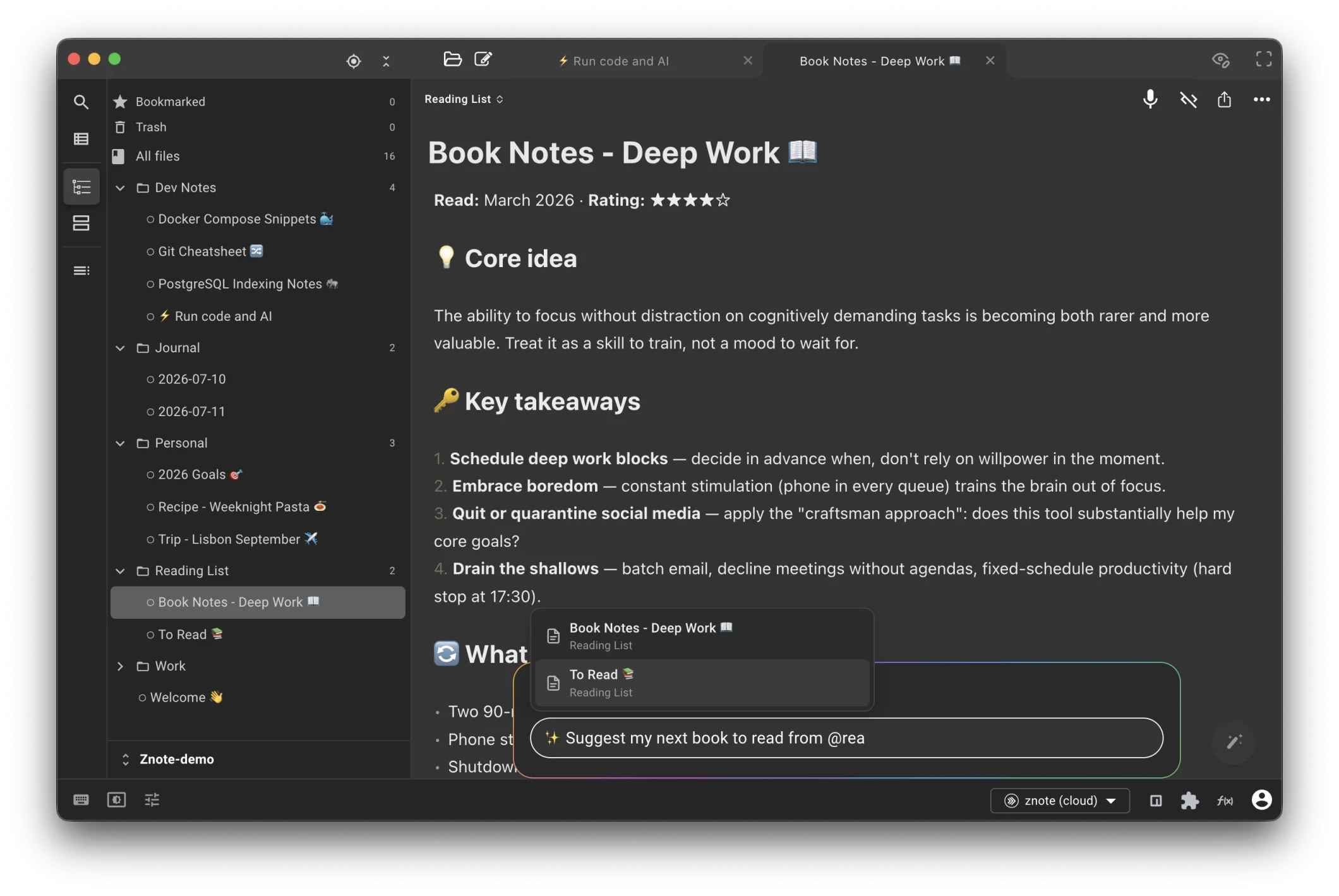
Znote — asking the AI to suggest the next book, with @Reading List picked as context right in the note
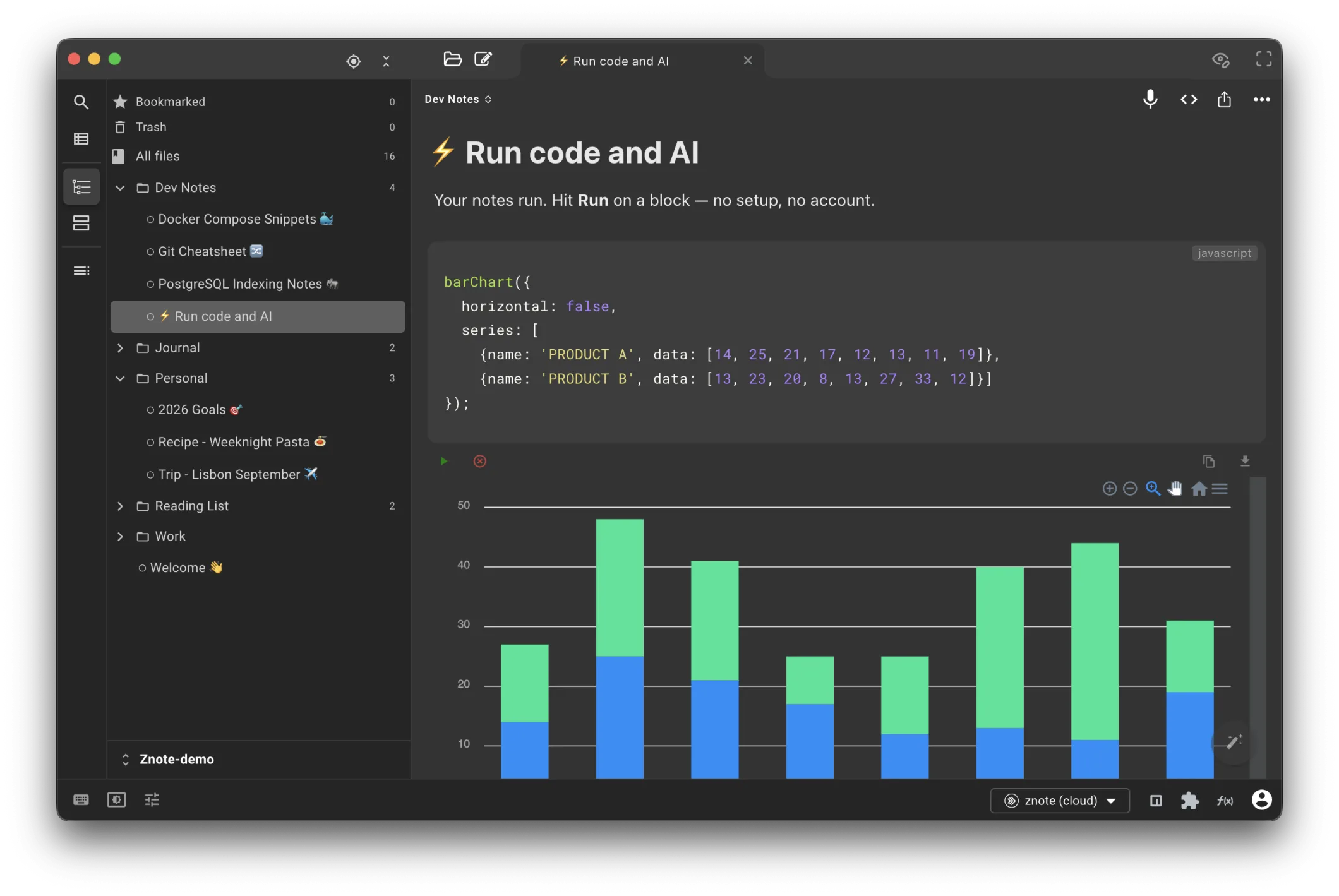
Znote — a JavaScript code block rendering a bar chart inline, right in the note
★ 5.0 · Top on Product Hunt used by tech leads, POs and indie devs built by one indie dev

Compose a prompt from your notes.

Type @ and pick what the AI should read — a note, a template, a code block. Type / and pick a prompt — from quick one-shots to live AI sessions. The answer lands inline, in the note you're writing.

a
Summarize a meeting note
@meeting-monday → "give me the decisions and action items."
b
Turn a rough idea into a user story
@user-story-template → "turn this brainstorm into a user story."
c
Cross-check an idea against your research
@user-interviews → "which of these features did people actually ask for?"
d
New — slash prompts & interactive sessions
/brainstorm opens a live chat that becomes a clean note; /rewrite rebuilds a messy one in a single undo-able edit. Every command is a markdown file in your vault — override it, or add your own.
brainstorm.md ran 0.9s
# Brainstorm — gym finder app
I want make app for people find gym close. Right
now hard to know where gyms are. Also booking
for class complicated.
user-interviews.md
research
user-story-template.md
templates
competitor-research.md
research
Turn this idea into a user story, following @user-story-template.
↓ inline output
User story — find a gym nearby
As a gym-goer, I want to see gyms open near me on a map, so that I can pick one without calling around.
✓ Map shows open gyms within 2 km
✓ Each gym links to one-tap class booking
Your files in, answer inline — no chat window, no copy-paste.

A code block becomes a little tool.

Write a JS / Node block, press play: query a database, call an API, parse a file — the chart or table renders inline. Save the note and you've built a tool. Next week: open, play, done.

a
The Monday sales chart
db.query(...)barChart(rows). Change the month, press play, done.
b
Clean up a CSV export
Parse it, filter it, render the table — inline, next to your notes about it.
c
Your own tiny status page
await fetch(...) your APIs, print the results. One note, rerun anytime.
q1-channels.md ran 230ms
# Q1 channel performance
```js
// change the year, press play
const rows = await db.query(`
  SELECT channel, month, SUM(amount)
  FROM orders WHERE year = 2026
`)
barChart({ horizontal: true, series: rows })
```
↓ inline output
total_sales by channel · 2023
Facebook Google
2023-01 2023-02 2023-03 2023-04 0 100 200 300 400
Save the note — it's a tool now. Press play next week.

Your notes, connected to your tools.

Znote speaks MCP — the open standard that connects AI to real tools. Add a server to your vault (GitHub, Postgres, Slack, Linear…), write tools= in an AI block, and the model can act: query, search, create. The answer lands in your note, saved.

a
The standup that writes itself
tools=github → open PRs, yesterday's commits, a three-line brief.
b
Ask your database in English
tools=postgres → the AI sees your schema, writes the SQL, answers with a table.
c
Meeting notes → real tickets
tools=linear → one issue per action item, created while you write.
d
Any server, one config file
Same format as Claude Desktop — paste any MCP server's config and it just works. 22 ready-to-run examples →
standup.md ran 3.1s · 2 tools
# Monday standup
```ai tools=github
Open PRs and yesterday's commits on
acme/webapp — draft my standup brief.
```
↓ saved in the note
Standup — Monday
✓ 2 PRs waiting for review — #482 (auth), #479 (exports)
✓ 7 commits on main yesterday — the onboarding fix landed
→ Today: review #482, ship the changelog
One config file — GitHub, Postgres, Slack, Linear, and hundreds more.

"My main tool for working."

"

The best "Jupyter-like" notebooks for JS.

mmrcbns
"

My go-to JavaScript playground. Run code directly in the app — huge time-saver. Clean interface, easy to navigate.

SSanjeet
"

Incredible product. Lets users learn and prototype faster. The AI integration is fantastic and JS+Markdown support is top-notch.

AAli

Just Markdown.

A calm WYSIWYG editor for plain .md files on your disk. Free, offline, no account — your Obsidian vault opens as-is.

WYSIWYG Beautiful themes Full-text search Plain .md · offline

The app is free.
Unlimited AI is one license away.

Every feature included, with free AI requests to try. A one-time 29.90€ license unlocks unlimited AI with your own models — OpenAI, OpenRouter, or 100% local with Ollama.

one-time · no subscription · 14-day money-back guarantee

Frequently asked.

Yes — the app and every feature are free. The AI comes with free requests to try; for ongoing use, a one-time Pro license lets you bring your own key (OpenAI, Ollama, OpenRouter).
Znote is a focused Markdown editor with two things built in: AI that lives inside your notes, and code blocks you can run to shape and visualize data — output appears inline. No plugins, no cloud, no subscription. And since it's all plain .md, your Obsidian vault opens as-is.
Not to get started — every install includes free requests, so you can try the AI right away with no key. To keep going on your own terms, the one-time Pro license lets you bring your own key (OpenAI, Ollama, OpenRouter…) — your models, your privacy, no markup.
On your machine. Plain .md files in folders you choose. No cloud, no account, no telemetry by default.
MCP (Model Context Protocol) is the open standard that lets AI use real tools. Declare servers in your vault — GitHub, Postgres, Slack, Linear, your filesystem, hundreds more — and your AI blocks can query, search and create through them. The config format is the same as Claude Desktop, and the servers run locally on your machine.
Still have questions? See full FAQ →